How To Create Extremely Secured Archives Using The Free Software PeaZip And A Keyfile
PeaZip is an open-source archiver that allows you to create extremely secured archives using a key file. That way the archive is protected by two passwords because in order to open the archive the user will have to enter a password and provide access to the keyfile. Let's make one of those archives.
Step 1: Download and Install PeaZip
Step 2: Create An Archive and Secure It
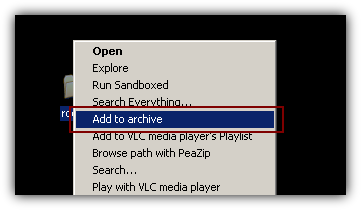
Since Peazip is my default arhiver I will just right-click on the folder I would like to protect and select Add To Archive...
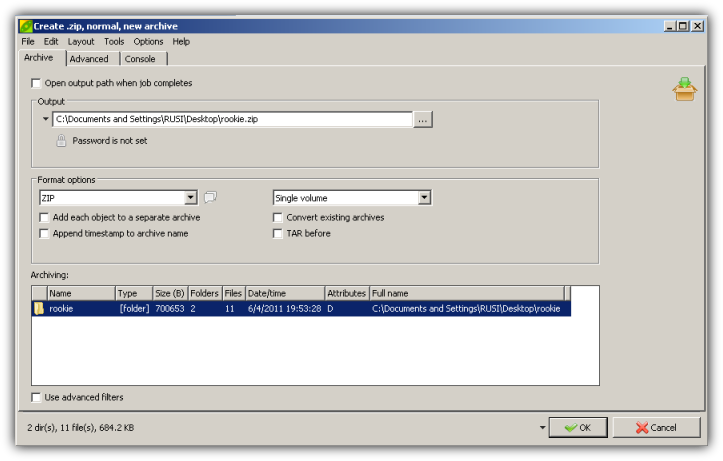
In case Peazip is not your favorite archiver you can just start the program and go to File>Create Archive in order to create a zipped folder.
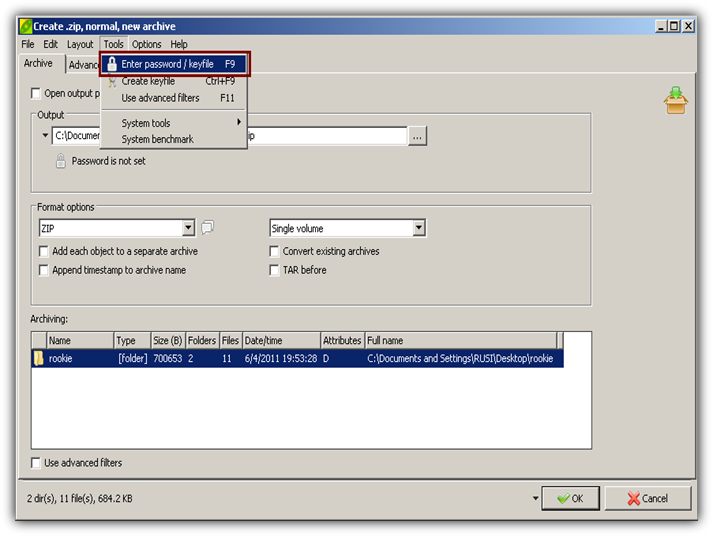
This window will appear.
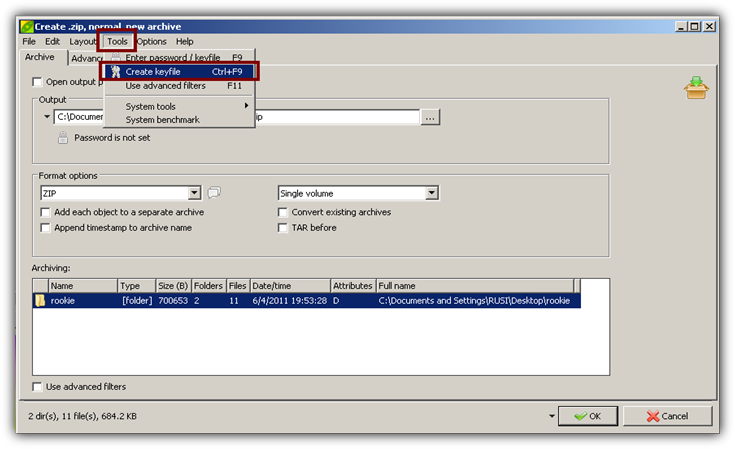
Go to Tools > Create keyfile in order to create a keyfile
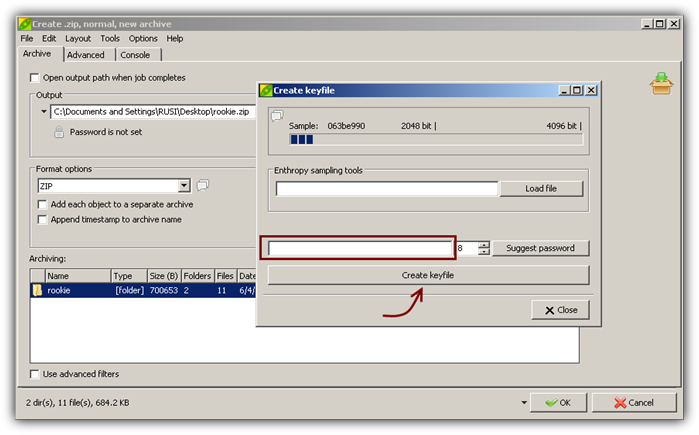
Enter a password and click on Create A Keyfile. Save the keyfile to a secure place of flash drive.
Go to Tools > Enter password/keyfile
Enter a good password and provide the location of the keyfile that you want to use.
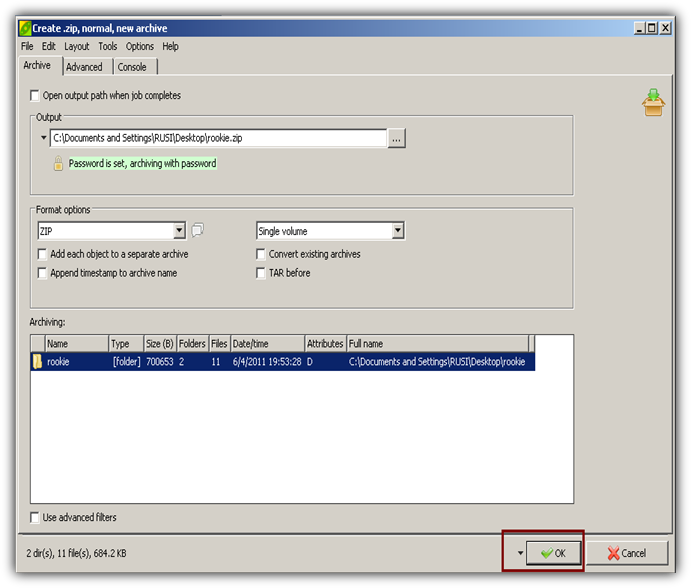
That's pretty much it. Click Ok two times and PeaZip will create your secured archive.
Now try to extract the archive. You will have to enter a password and provide access to the keyfile. Otherwise the files will be extracted but they will remain unusable.
Important note: Thanks to the password people won't be able to extract the files but they will still be able to see the contents of the zip. So be careful and change the names of the files if you have to.
That's it. Protect your data for free.
You might also like...