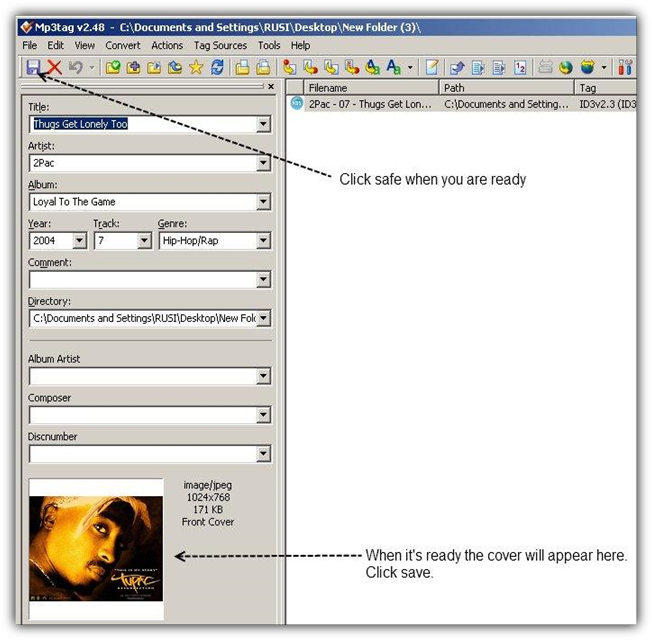
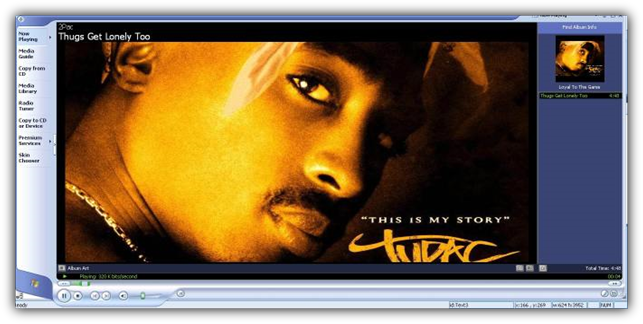
That's it. When you open your mp3 in Windows Media Player for example it should appear like this.
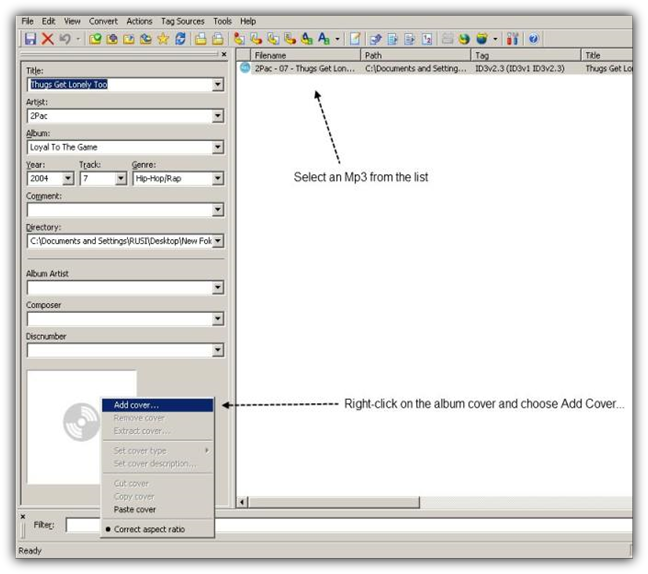
Step 4: Select an Mp3 file and then right-click one the cover and choose Add Cover. Add the path of your cover and click Ok.
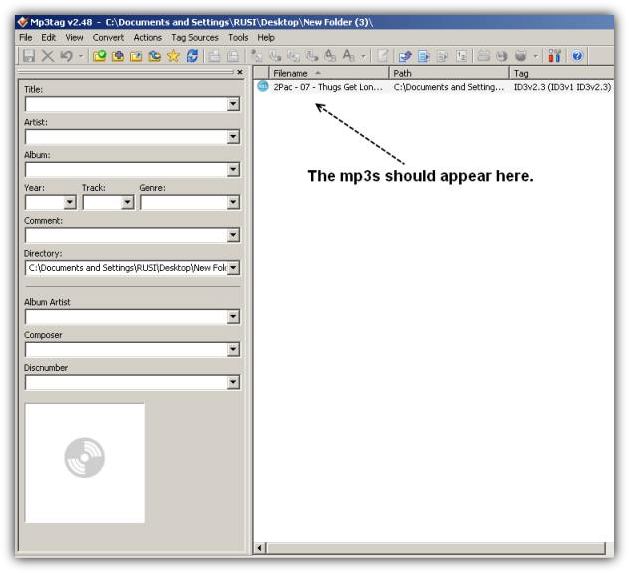
Once you are ready the mp3 files should appear to the right side.
Save the new file...
Make Your MP3s Come To Life
How To Add Covers To Your Mp3 Files
It's really easy to add graphic covers. All you need is a tag editor and a cover. I'm going to use MP3 Tag which is a free program.
Step 1: Download and Install Mp3 Tag Editor
Step 2: Find a cover of your mp3 and edit it in Pain.Net (this is optional)
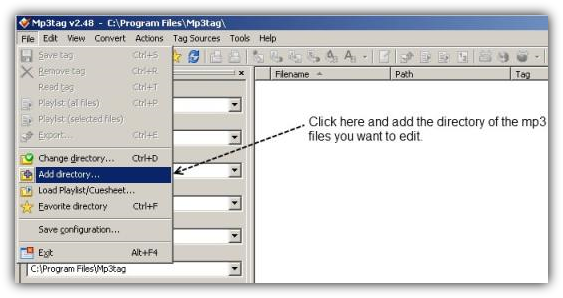
Step 3: Open MP3 tag go the directory of your mp3 files.
You might also like...