Want To Hide Secret Data For Free? Not A Problem !!!
Learn How Lock Folders In Windows With 7-zip
Step 1: Install 7-zip
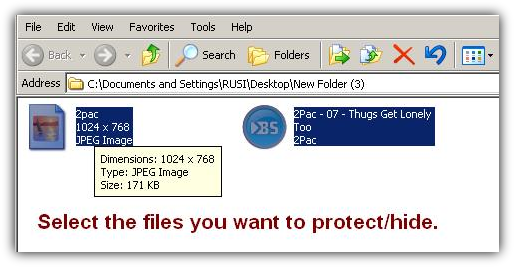
Step 2: Go to the folder of the files you would like to protect and select all of them.
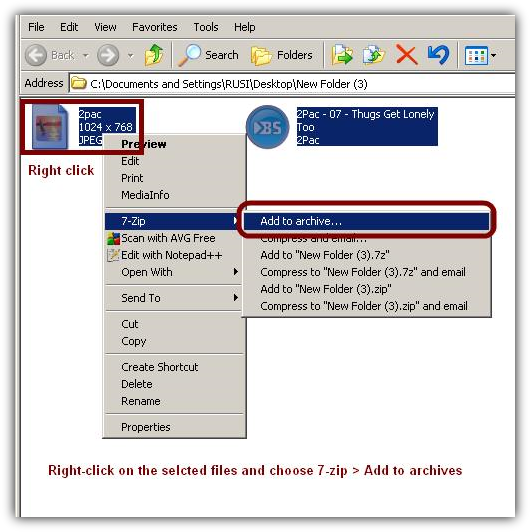
Step 3: Archive the files by using 7-zip.
Right-click on one of the selected files and go to 7-zip > Add To Archive
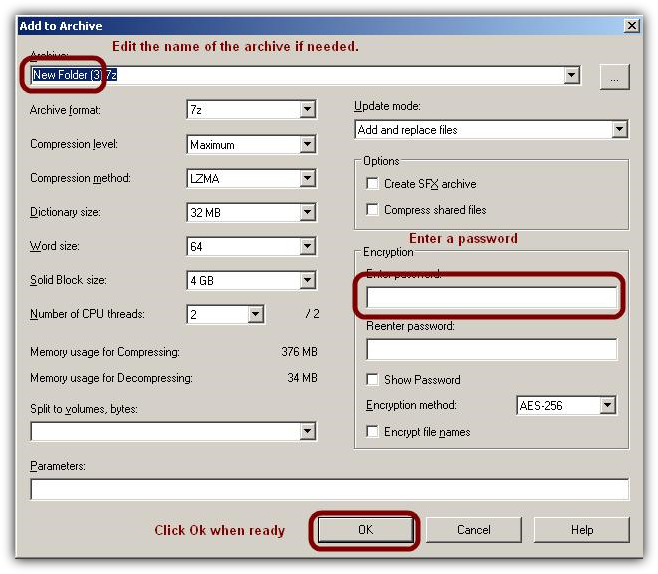
Step 4: Set a password and archive the files.
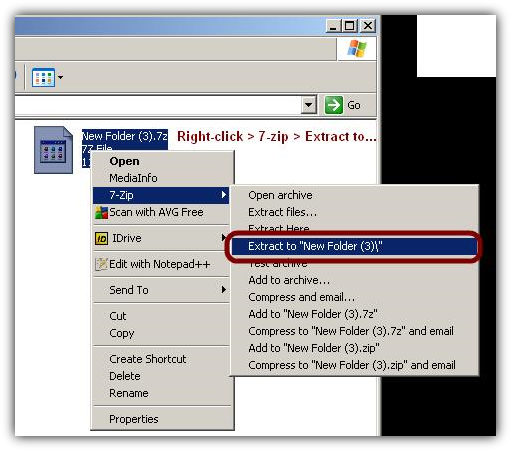
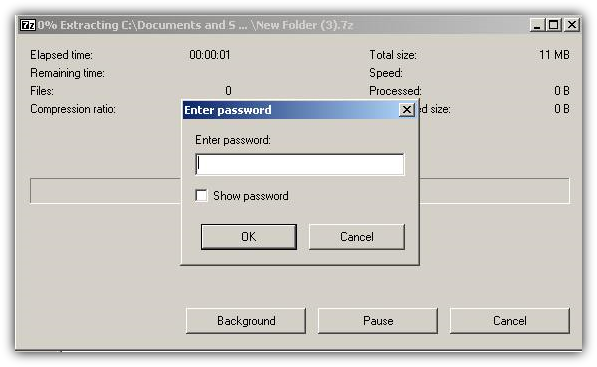
Step 5: Try to extract the files.
7-zip will ask you for a password.
Important note: Thanks to the password people won't be able to extract the files but they will still be able to see the contents of the zip. So be careful and change the names of the files if you have to.
That's it. Protect your data for free.
In this tutorial I'm going to show you how to make password protected archives in Windows by using the free program 7-zip.
You might also like...