Increase The Speed Of Your PC By Removing Unwanted Programs From The Start-up Menu
There are many programs set to run when your computer starts. That's great but at some point they may become hungry for memory. Here's how to remove them.
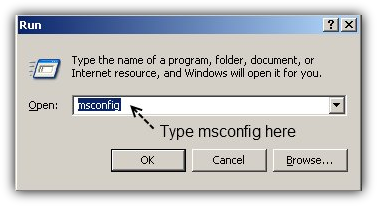
Step1: Run msconfig
In order to run msconfig you have to press the Windows Key (right between CTRL and ALT) and the letter R at the same time. The Run box will appear. Type msconfig in the blank place. Click here for more Run
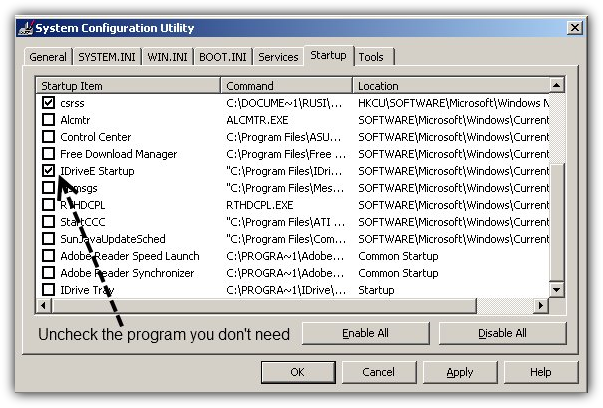
Step 2: Go to Startup and Uncheck the programs that you don't want to use everytime your PC Starts
Uncheck all programs you don't need. In order to avoid future problems be don't uncheck programs you are not familiar with.
In this case I know that I won't need iDriveE and I don't want it to run everytime I start my computer.
Click ok when ready.
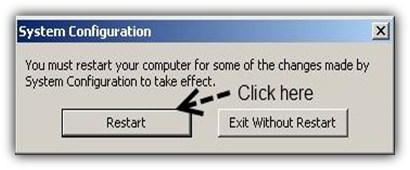
Step3: Restart your computer. It should start a lot faster
You might also like...